Quick Start
Setting up your workspace
Follow this guide to protect your first repository.
Create an Account
Go to the bot and ask the support team to create an account.
After registration, a Workspace will be automatically created for you.
Connect an Identity Provider
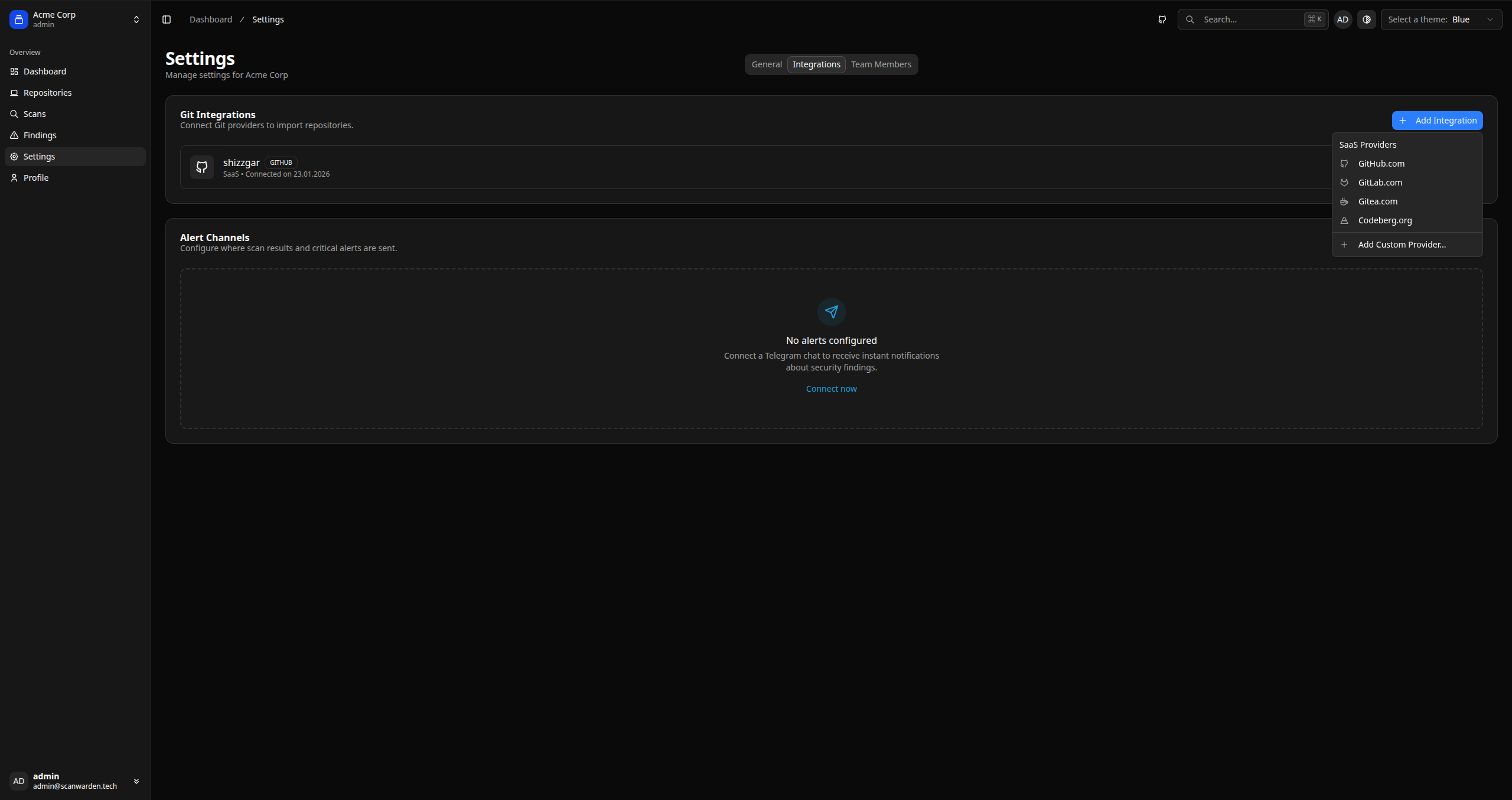
To scan private repositories, you must grant ScanWarden access to them.
- Go to Settings > Integrations.
- Click Connect GitHub (or any other available provider).
- You will be redirected to the provider's website to authorize the
ScanWardenapplication.
Add a Repository
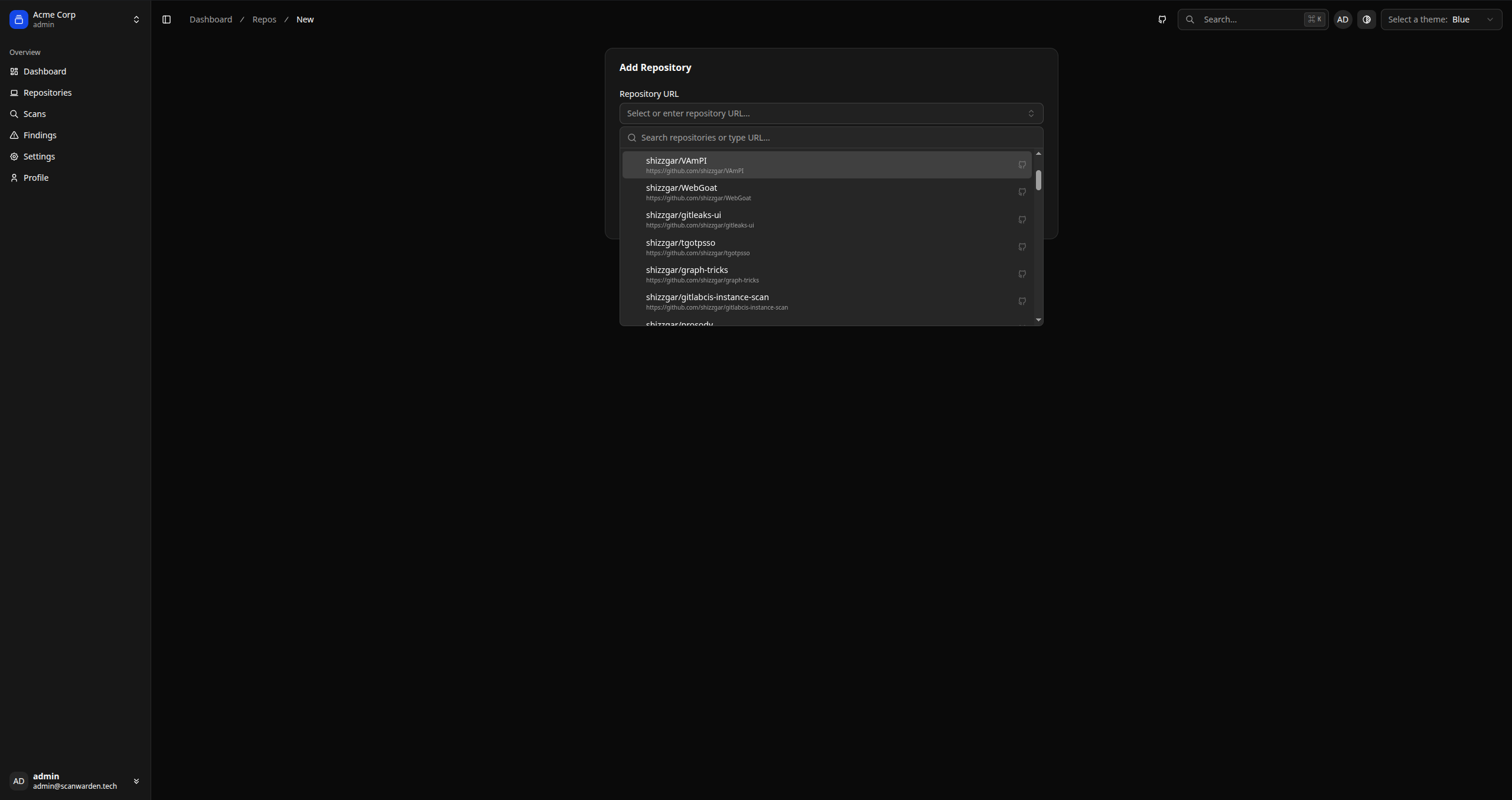
- Navigate to the Repositories section.
- Click Add Repository.
- Select a repository from the list.
First Scan
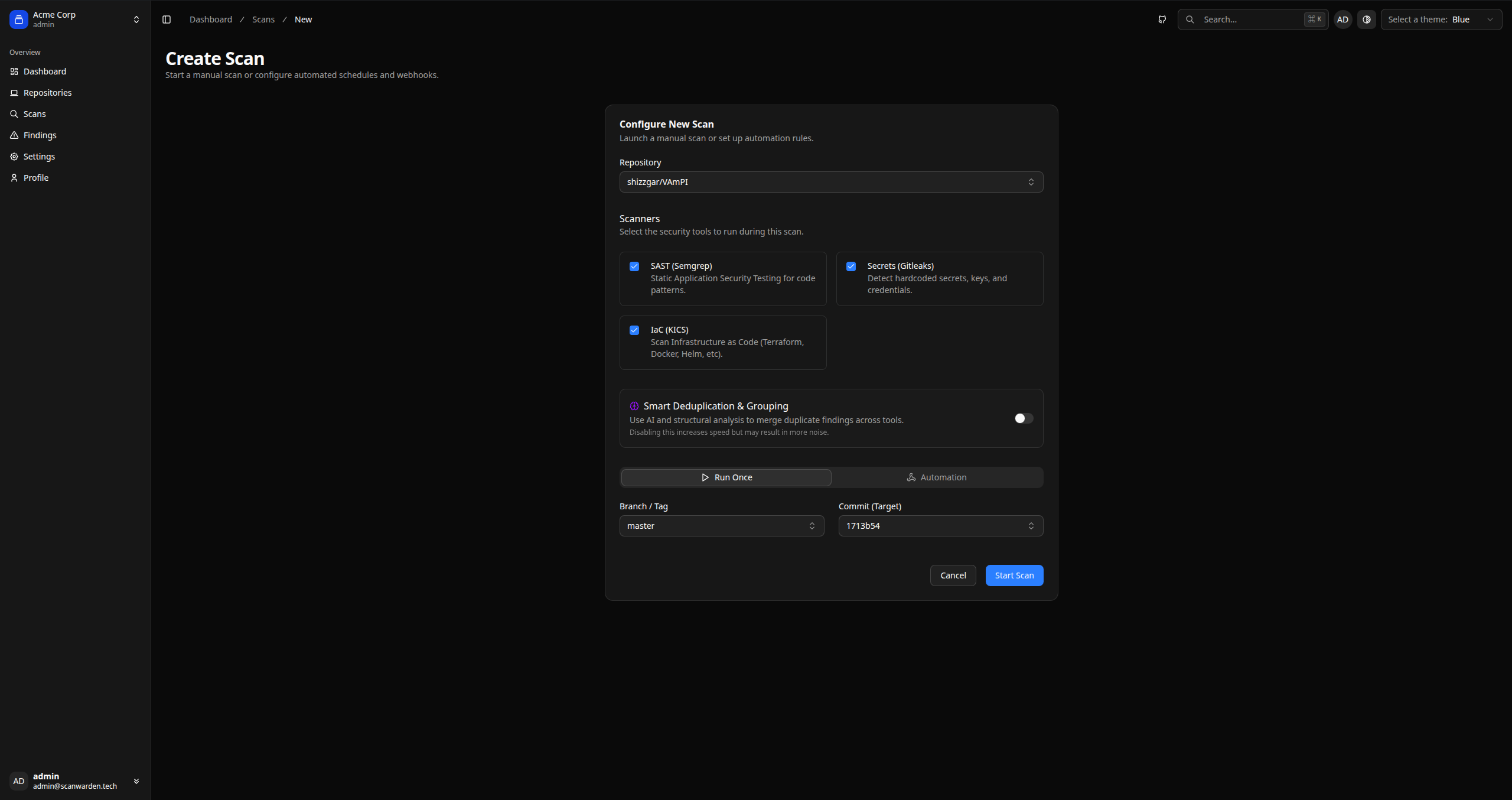
Once the repository is added, you can start scanning.
- Select it from the list in the Repositories section.
- Click the Run Scan button in the top right corner.
- Configure the parameters in the form and click Start Scan.
- SAST: Checks code for vulnerabilities.
- Secrets: Searches for hardcoded keys and secrets.
- IaC: Checks configuration files for potential errors.
- Smart Deduplication & Grouping: Links issues by merging them into clusters.
- Commit/branch/tag: The latest commit and branch will be automatically selected when choosing the repository.